


01
Compare the idea
Store takes in A and B, then match audition loudness. Judge the shape, colour and movement without a louder take winning by default.
A · B · MATCH RISER STUDIOComing soon · $29.99
 CINEMATIC RISER DESIGN · MAC + WINDOWS
The tension. The build. The lift. Turn a single sound into a world of rising motion.
Coming soon · Standalone, VST3 and AU · No AI generationTHE RISER WORKSPACE
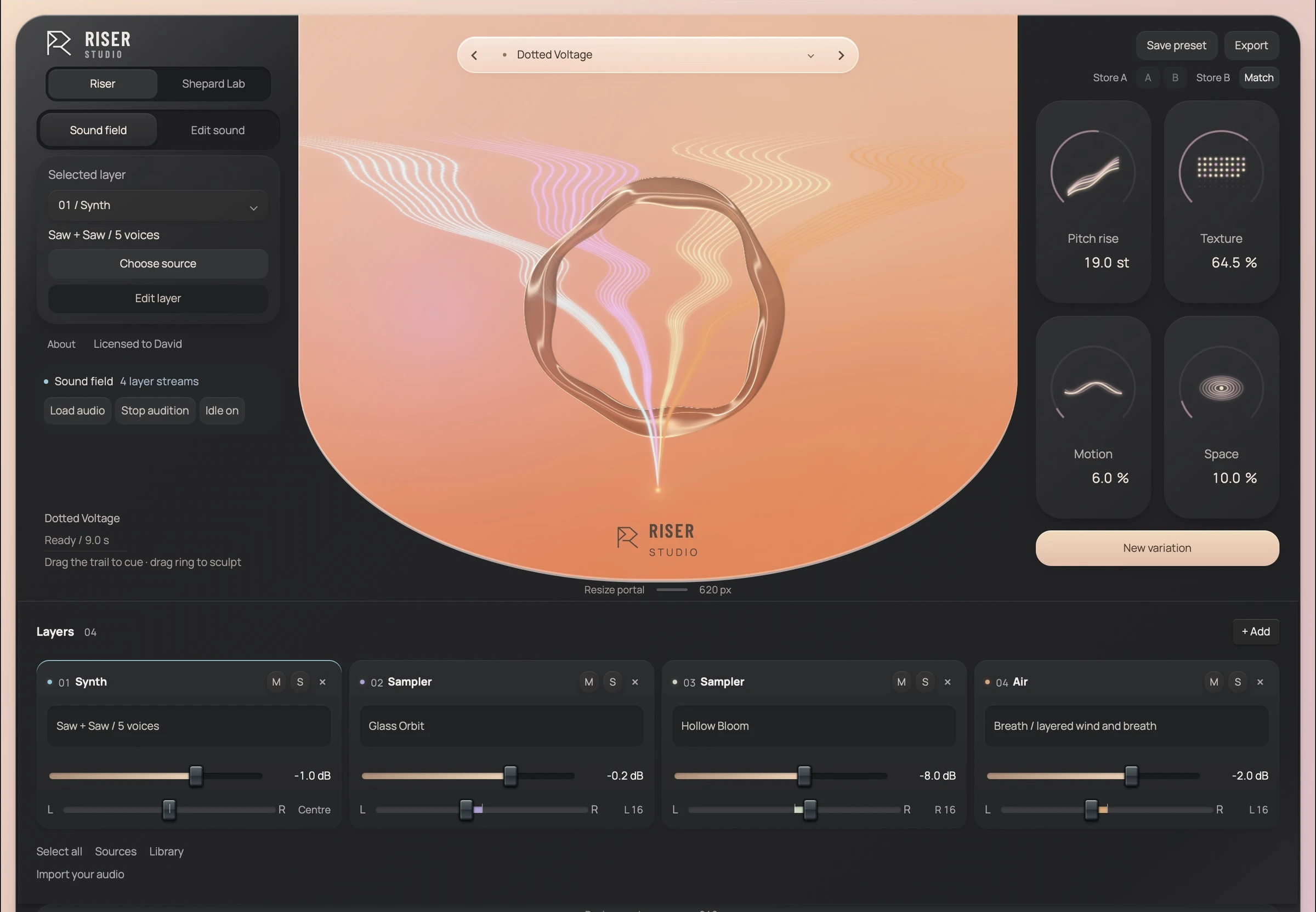
From the first breath to the peak
Draw how it grows. Stack up to eight layers. Audition each change, then take the finished rise into your film, trailer or track.
Meet your new instrument
01Riser
Start with a preset, a synth or your own recording. Prepare a short hit into sustained material, stack independent layers and draw how they build.
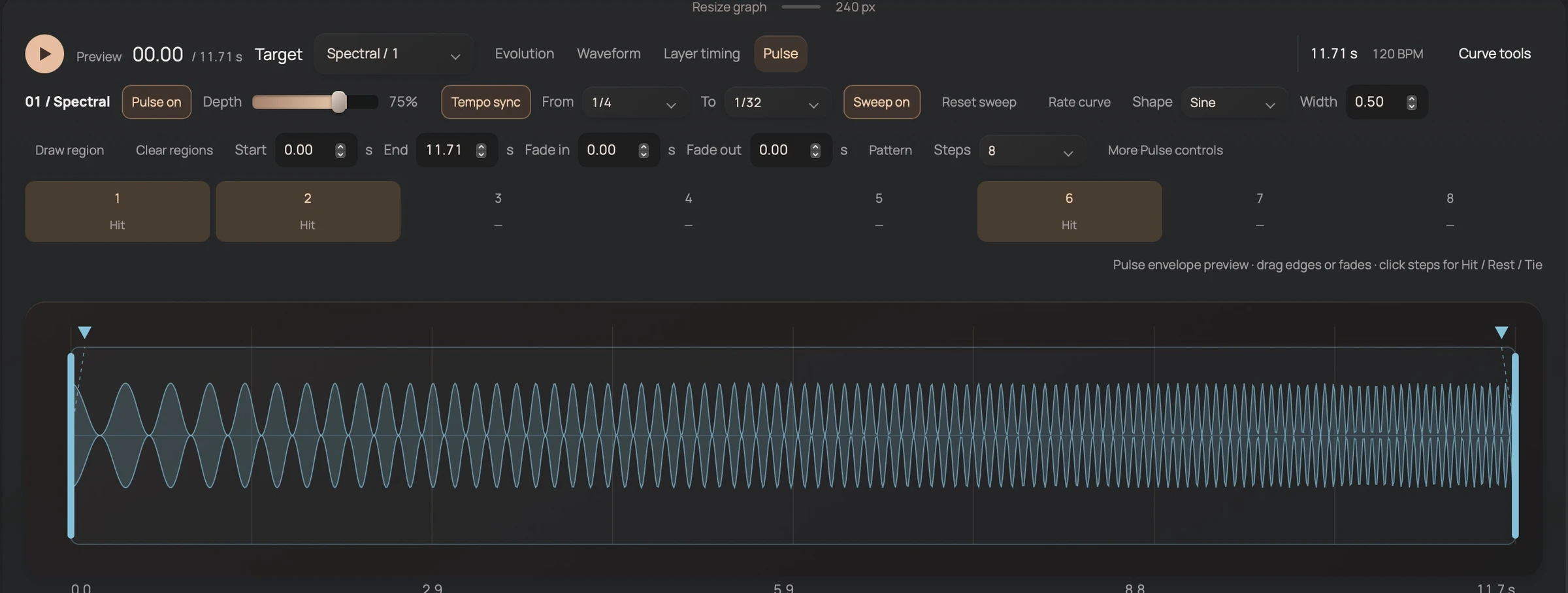
02Pulse
Move from a slow pulse to a rapid rush. Choose straight, dotted or triplet timing, place the pulsed region, then shape hits, rests, ties and ratchets.
03Effects
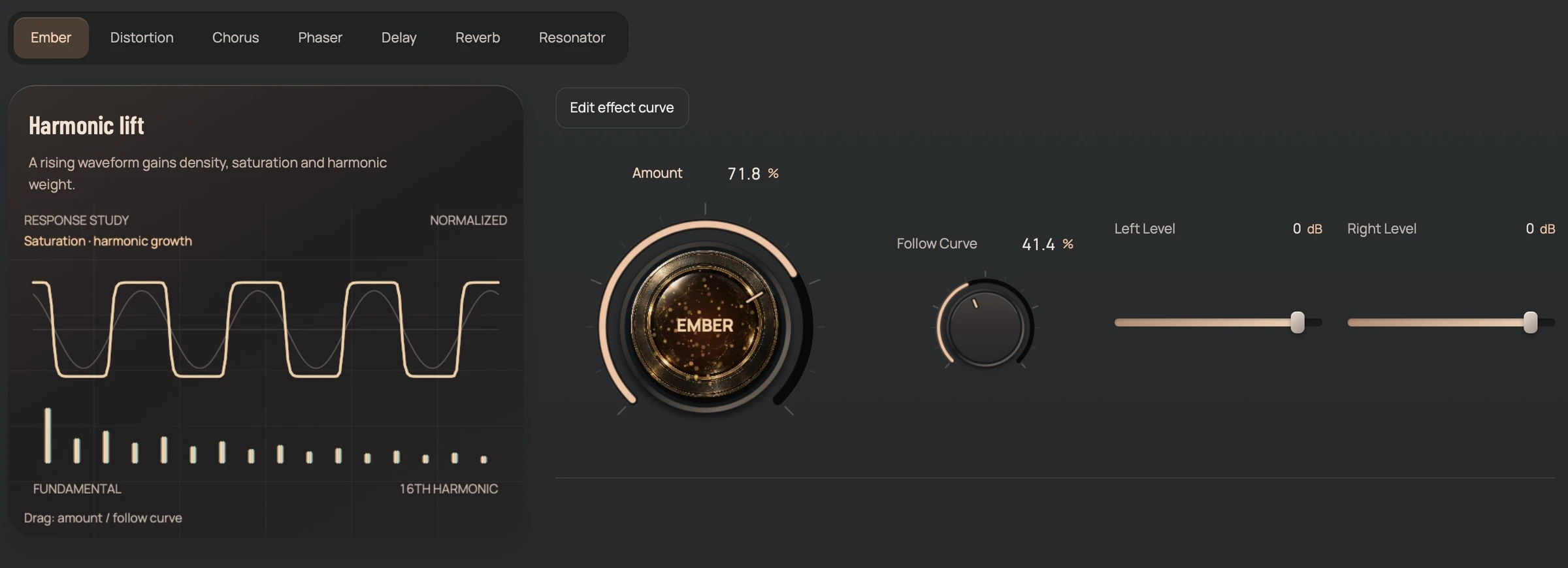
Bring in Ember, distortion, chorus, phaser, delay, reverb and resonator. Draw their depth over time, then place the layers together in a shared room, hall or echo.
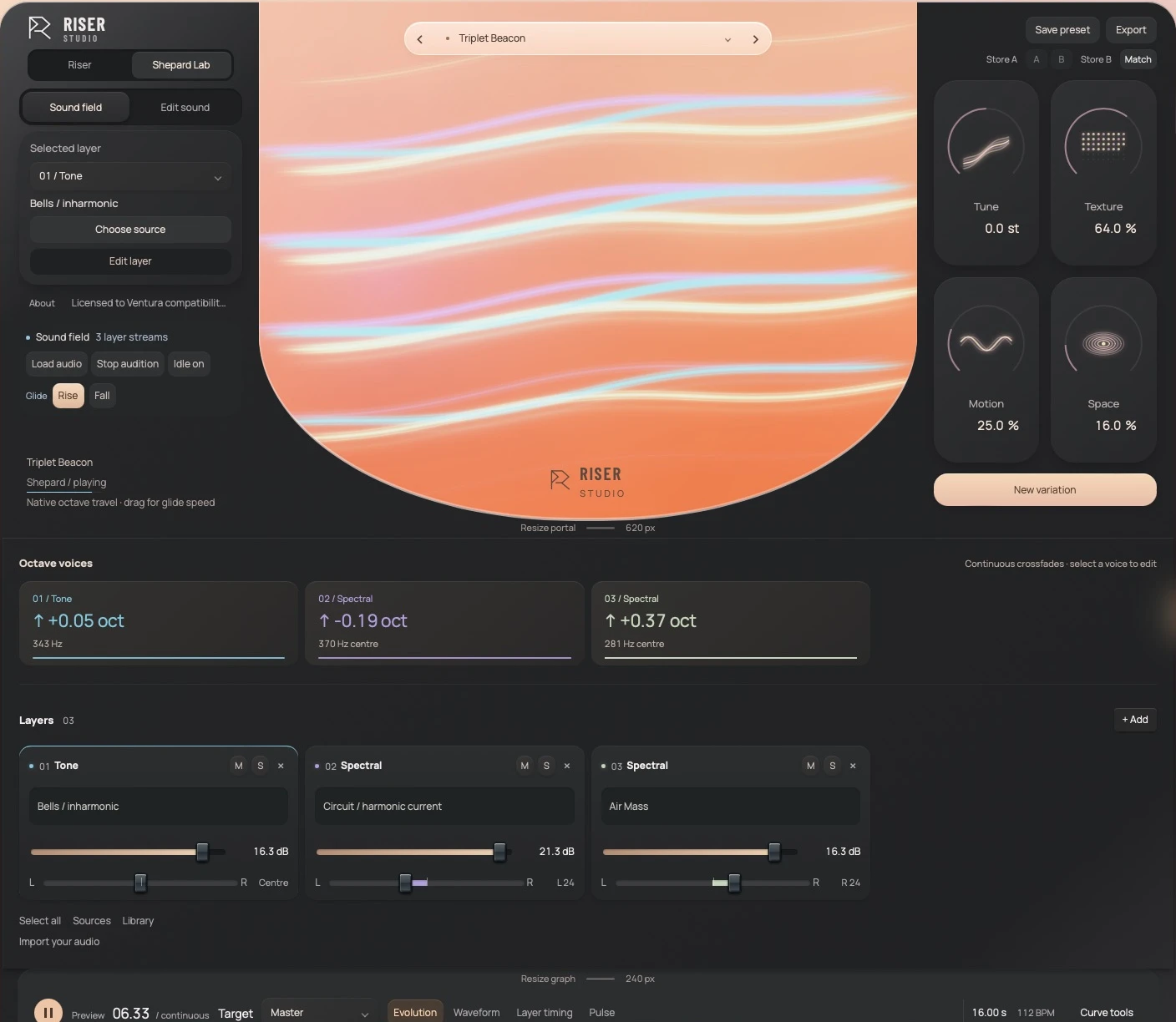
04Shepard Lab
Give each voice its own source, direction and glide. Play the scene from MIDI, capture it into Riser, or render a passage with a controlled transition back to its start.
The layer rack
Stack up to eight independent layers on one timeline. Choose from six engines. Give every layer its own source, pitch, pan, curve, timing and effects, then bring them together at the peak.
Start with a single hit. Drop a snare, scrape or recording into the rack. Find a stable region, prepare a sustain, then draw the rise. Your original stays intact.
01 · SYNTH Body
Two oscillators, up to seven unison voices and a resonant filter that opens as the curve climbs.
Evolution curve
Draw the climb with precise points and shaped segments. Keep a steady ascending body underneath, then give a few layers their own dips, pulses or delayed entrances.
Try this silent browser illustration. In the instrument, copy curves between lanes, save your own patterns, and shape volume, pitch, brightness, density or effect depth.
Tab moves between points. Arrow keys move a point: left and right change its time, up and down its level. Hold Shift for bigger steps. Page Up and Page Down change the level by 10 percent; Home and End set it to 0 or 100 percent. Delete removes an interior point. The start and end times are anchored.
Point 2 / 8 points
Shepard Lab
Tones an octave apart fade through one another, so the climb never arrives. Build the illusion from resonant air, bowed colour, bells or your own prepared recordings.
A cinematic browser sketch of the illusion: layered tones, air and reverb. Not Riser Studio’s engine.
Sound library
200 editable starting points across two workspaces. Rebuild the layers, change the curve, retune the sound and shape its space. Save your own templates, then organise them with search, favourites, tags and collections.
100
Riser templates in ten categories, ten in each. Short and long, subtle and aggressive, tonal, rhythmic and deep.
100
Shepard scenes in ten categories. Bowed, airy, glassy, rhythmic, mechanical and deep, with independent voice directions.
24
Metallic motion, grain fragments, air, evolving tones and low pressure, permanently processed.
12
Oscillators, noise and resonances, with slow tuning drift and evolving harmonic balance.
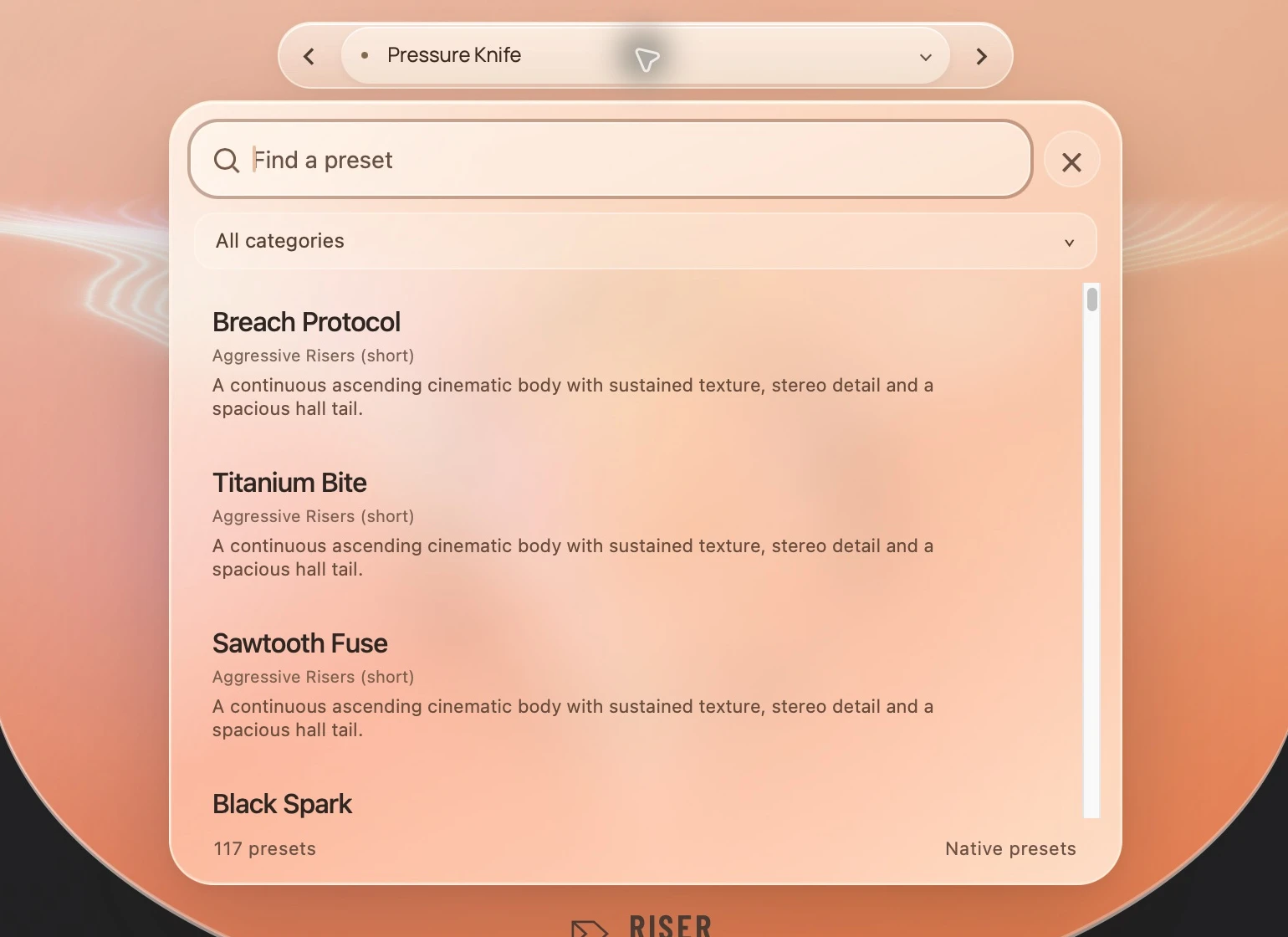
Open any one. It is yours to reshape.
Stay in the flow
From a single imported hit to a complete family of takes. Shape, perform, compare and deliver without losing the sound you started with.
Store takes in A and B, then match audition loudness. Judge the shape, colour and movement without a louder take winning by default.
A · B · MATCHChoose which aspects may change and how far. Layer locks protect the parts you love; Undo brings the previous design back.
CONSTRAINED VARIATIONSearch, filter and favourite. Save your own templates, organise tags and collections, and make categories for the way you work.
200 FACTORY TEMPLATESDrop audio onto a layer to replace it, or into empty space to add one. Make riser prepares a sustain; Raw sampler keeps direct playback.
WAV · AIFF · FLACDraw a pulse region and sweep between rates. Add dotted or triplet timing, swing, accents, rests, ties and ratchets.
RATE SWEEPS · 16 STEPSEmber, distortion, chorus, phaser, delay, reverb and resonator. Shape each effect with its own curve and modulation depth.
SEVEN LAYER EFFECTSFeed layers into a shared room, hall and echo. Set size, decay, pre-delay and tone; let their tails carry beyond the source.
LAYER SENDS · SHARED RETURNSUse MIDI or host transport. Learn hardware controls, automate sound knobs, and perform both Riser and Shepard from the keyboard.
MIDI LEARN · DAW AUTOMATIONRoute curves, LFOs, steps or smooth random motion to selected layers and groups. Move pitch, pan, tone or effect details.
ROUTES · MACROS · GROUPSStore scene states and shape the journey between them. Capture Shepard voices into Riser, or render a circular passage.
SCENES · PASSAGE DELIVERYQueue variations across duration, intensity, space and seed. Take Builder names the results and keeps mix, stems and metadata organised.
BATCH VARIATIONSRender a mix or aligned stems with the tail intact. Choose 24-bit PCM or 32-bit float WAV at 44.1, 48 or 96 kHz.
MIX · STEMS · TAILSStandalone · VST3 · AU
Build on Mac or Windows. Work in the standalone app, or bring the same sound into your DAW. Your layers and imported audio travel with the preset.
Get notifiedStandalone
Build away from the session. Import audio, shape a rise, compare takes and export the mix or stems. Your last session is kept for the next visit.
Mac · WindowsVST3
Play from MIDI or host transport. Draw DAW automation, learn a MIDI controller and recall your sound with the project.
Mac · WindowsAudio Unit
The same instrument in an Audio Unit host. Riser and Shepard Lab share the layers, curves, sound banks and native engine.
Mac · Apple SiliconThe desktop instrument
Mac & WindowsSound is made locally. Original synthesis, prepared audio and designed textures. No AI audio generation.
Mac runtime and Windows automated checks passed. Wider hardware and DAW testing continues. Requirements & test status

COMING SOON
$29.99USD
One purchase. Every rise.
GOOD TO KNOW
Short, honest answers about the instrument, the library and where it runs.
Yes, and a standalone instrument. Mac has VST3 and AU; Windows has VST3. All use the same native sound engine. Trigger Riser or Shepard from MIDI, or follow the DAW transport.
$29.99 USD. One price, paid once, with no subscription. Checkout is not open during the private beta.
Enter your personal key in the instrument. It unlocks playback and exports and displays Licensed to your name. A named-owner licence covers up to two devices you use.
Licence and activationNo. Synthesis, sample preparation and effects run locally on your computer. There is no AI audio generation, neural model or online generation service.
Yes. Drop a WAV, AIFF or FLAC onto a layer to replace its source, or into empty space to add a layer. Make riser prepares sustained material; Raw sampler offers direct sample playback.
An illusion of endless pitch. Overlapping octave voices fade through a fixed range. Give layers different sources, glide speeds and directions, or use your own prepared recordings.
100 Riser templates and 100 Shepard scenes, each bank arranged into ten categories. Also included: 24 designed textures and 12 synthesis palettes. Every template is editable.
The current beta builds target Apple Silicon on macOS 12.3 or later, and Windows 10/11 x64 with WebView2. Ventura 13.7.4 VM and automated Windows checks passed; physical M1 and full DAW acceptance are still pending.
Builds and verificationRiser Studio 0.90 is in private beta. Public release follows listening, host and installation acceptance. Get notified sends us a note asking to hear when it is ready.
